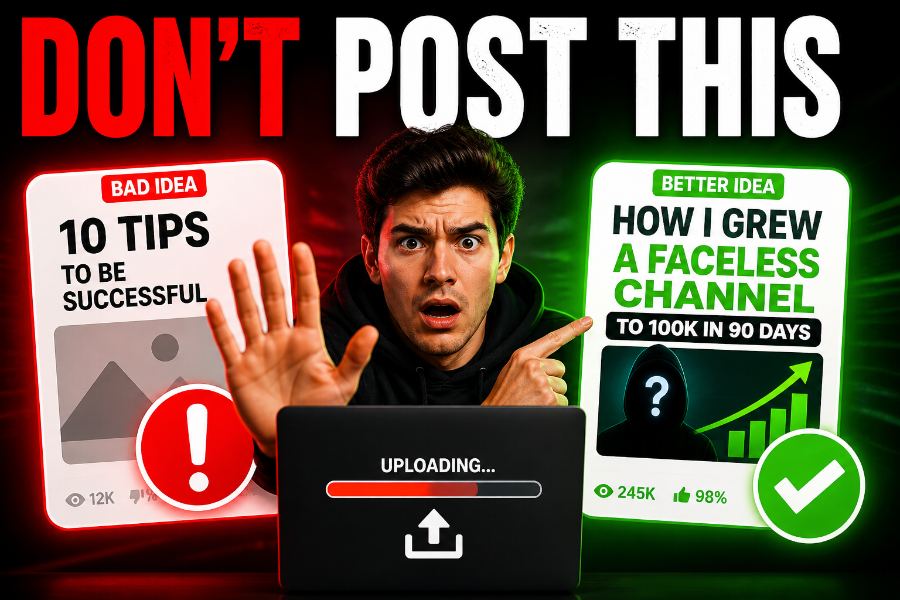
Most new creators are stuck in the same trap. They make videos about what they think is fun or cool — not what their viewers are looking for. That is why their videos do not get seen.
But what if there was a simple way to find video ideas that people are typing into YouTube every day? What if you could stop guessing and start making videos that people already want to watch?
This article will show you the Search Engine Blueprint — a step-by-step way to find good video ideas, write great titles, and grow your channel in 30 days.
Part 1: The Truth About YouTube SEO That Most Creators Get Wrong
Why "Post What You Love" Does Not Work for New Creators
People say, "Do what you love, and good things will come." On YouTube, that is only half true. Loving what you make helps you keep going. But if no one is searching for it, no one will find it.
When you post only what you like, you fight against millions of other videos that are also just based on what someone liked. But when you post what people are searching for, you meet viewers who already want your help.
SEO Is Not Hard
People talk about SEO like it is some big secret. It is not.
SEO just means giving a really good answer to one question.
When someone types something into YouTube, they have a problem. They need help. Your job is to be the best answer to that problem. If your video helps better than all the others — YouTube will show it to more people.
Think of SEO as a Promise
Here is a new way to think about it: SEO is not a trick. It is a promise to your viewer.
- Technical SEO = descriptions, tags, and captions.
- Real SEO = "If you click this video, you will get the exact answer you need."
Videos that keep this promise get watched longer and ranked higher. Videos that break this promise get skipped and buried.
Part 2: How to Find What People Are Searching For (Free Tools Only)
You do not need to pay for any tool. YouTube gives you two free ways to find great video ideas. You just need to know where to look.
Tool #1: YouTube Autocomplete (Your Free Idea Machine)
When you start typing in the YouTube search bar, YouTube shows you a list of what other people are searching for. This list is real data from real people.
How to use it:
- Open YouTube in a private or incognito window.
- Type a broad topic from your niche. Do not press Enter.
- Look at the list that drops down below the search bar.
Example: Type "how to edit videos" and you may see:
- "how to edit videos for beginners"
- "how to edit videos on iPhone"
- "how to edit videos for YouTube"
- "how to edit videos faster"
- "how to edit videos like a pro"
Why this is great: Each of these is being typed by real people right now. They have a problem. Your next video can be the answer.
Extra tip: Add a letter after your topic. Type "how to edit videos a" and you might see "how to edit videos android" or "how to edit videos automatically." This gives you even more ideas.
Tool #2: Related Queries (More Hidden Ideas)
After you search something on YouTube and scroll all the way to the bottom of the page, you will see a section called "Related queries." This shows you what else people search for after they search your topic.
Example: Under "how to edit videos", you might see:
- "how to edit videos for social media"
- "how to edit videos for YouTube shorts"
- "how to edit videos with music"
- "how to edit videos without watermark"
What to do: Write down every idea that fits your niche. Do not judge them yet. Just collect. In a few sessions, you will have many good video ideas.
Be Specific — It Matters a Lot
Not all ideas are the same. Pick ones that are specific — they solve one clear problem for one clear person.
Look at these two:
- "how to edit videos for beginners" — okay, but still broad.
- "how to edit videos on iPhone" — much better. You know who it is for and what they need.
Why specific ideas are better:
- Right viewers — You get people who truly need your video, so they stay and watch longer.
- Less fight — Fewer creators make videos about "iPhone video editing" than "video editing" in general.
- More trust — When you solve one small problem really well, people see you as the expert.
Part 3: How to Write Titles That Get Clicks
Finding a good search idea is only half the work. Now you need to write a title that makes people want to click. This is what turns a video that gets seen into a video that gets watched.
What a Good Title Does
A good title does one thing: it tells the viewer exactly what problem you will solve. It is not clever or tricky. It is clear and helpful.
Weak Title vs. Strong Title
| Weak Title (Not Clear) | Strong Title (Clear and Searchable) |
|---|---|
| "My First Video" | "How to Make Your First YouTube Video in 10 Minutes" |
The weak title tells you nothing. Why would you click? The strong title has:
- The problem — making a first video feels hard.
- The answer — a step-by-step guide.
- The result — done in 10 minutes.
That is a promise a viewer wants to take.
The Title Formula
Use this simple formula for every title:
[Specific Problem] + [Clear Answer] + [Time or Result]
Examples in different topics:
| Topic | Weak Title | Strong Title |
|---|---|---|
| Cooking | "My Pasta Recipe" | "How to Cook Perfect Pasta in 8 Minutes (No Clumping)" |
| Fitness | "Leg Day Workout" | "How to Build Bigger Legs at Home – 15 Minute Dumbbell Routine" |
| Tech | "MacBook Review" | "How to Speed Up a Slow MacBook – 5 Fixes That Actually Work" |
| Gaming | "Minecraft Base Tour" | "How to Build an Underground Minecraft Base That Mobs Can't Find" |
See the pattern? Every strong title has a problem, an answer, and a result. The viewer knows exactly what they will get.
Why This Makes People Click
When a viewer reads a title and thinks, "Yes! That is my exact problem!" — they click. When a title is vague or unclear, they keep scrolling. A strong title makes the viewer feel understood.
Part 4: Why a Clear Promise Keeps Viewers Watching
Getting the click is just the start. YouTube also cares about how long people watch your video. If many people click but leave early, YouTube will stop showing your video to others.
Match What You Promise
When someone clicks your video, they expect what the title said. If your title said "How to Edit Videos on iPhone in 30 Minutes," they expect:
- A guide for iPhone — not Android or a computer.
- A clear 30-minute plan.
- Easy steps they can follow.
If you give them that, they stay. If you talk about yourself for two minutes first or use a different device, they leave. That is a broken promise.
The Good Cycle vs. The Bad Cycle
Clear Title → Right Expectation → Viewer Stays → High Watch Time → YouTube Shows It More → More Views
Vague Title → Wrong Expectation → Viewer Leaves Early → Low Watch Time → YouTube Stops Showing It → Buried Video
One simple rule: Your title, your thumbnail, and your first 30 seconds must all say the same thing. If you promise an answer, start giving it right away. No long hello. No slow start. Just help.
Part 5: Your 30-Day Plan (Week by Week)
Knowing something is not enough. You have to do it. Over the next 30 days, make one search-based video each week — four videos total. This is enough to see what works.
Before You Start: Make a Simple Tracking Sheet
Make a simple table with these columns:
- Week number
- Search idea you used
- Where you found it (autocomplete or related queries)
- Final title
- Date you posted it
- Views after 7 days
- How long people watched (average view duration)
- How many people clicked (click-through rate)
- What you learned
Week 1: Make Your First Video
Goal: Get used to the tools and post your first search-based video.
- Spend 30 minutes using autocomplete for 3 topics in your niche.
- Write down at least 10 specific search ideas.
- Pick the one that feels most urgent and specific.
- Write a title using the formula: Problem + Answer + Result.
- Make and post the video. Make sure it matches the title.
- Write down the date you posted it.
Common mistake: Do not think too much. The first video will not be perfect. Just finish it.
Week 2: Look at the Data and Learn
Goal: Learn from your first video and get better.
- Check how Week 1's video did after 7 days.
- Views are good and people watched more than half: Great! Write down that this topic worked well.
- Views are low: Look at your title and thumbnail. Is the promise clear?
- People left early: Watch your first 60 seconds. Did you start helping right away?
- This week, use the related queries section at the bottom of the search page to find your next idea.
- Post your second video.
Week 3: Make Better Titles
Goal: Get more people to click by improving your titles.
- Before picking your Week 3 topic, look at the top 3 videos for your search idea.
- Do they use numbers? (e.g., "5 ways," "10 minutes")
- Do they use easy words like "fast," "simple," or "easy"?
- How do they describe the answer?
- Write 5 different title ideas for your topic. Pick the best one.
- Post your third video.
Week 4: Do More of What Worked
Goal: Find what worked and build on it.
- Look at all three videos. Which search idea got the most views? Which title got the most clicks?
- For Week 4, pick a similar version of your best topic. For example, if "how to edit videos on iPhone" worked well, try "how to edit videos on iPhone for Instagram."
- Use the title style that worked best.
- Post your fourth video.
After 30 Days: What to Do Next
- Keep the winners: Any video that did well should become a series or get a follow-up video.
- Learn from the ones that did not do well: Do not delete them. Just note what did not work and avoid those kinds of topics.
- Do more: Now that you have a system, try making 2–3 search-based videos each week. Or write all your scripts in one weekend.
Part 6: Extra Tips and Mistakes to Avoid
Mistake #1: Chasing Big Keywords Only
Many new creators try to rank for big, popular topics like "how to lose weight." The problem is that thousands of other creators are doing the same thing. Instead, go for longer, more specific ideas with 3–5 words. They have fewer viewers, but the people who find you really need your help.
Example: "how to lose belly fat for women over 40 in 2 weeks" is much better than "weight loss tips."
Mistake #2: Not Thinking About Why Someone Is Searching
Every search has a reason behind it. There are three main reasons:
- They want to learn — "how to fix a leaky faucet" (they want steps)
- They want to compare — "best video editing app 2025" (they want a review)
- They want to buy — "buy Adobe Premiere cheap" (they want a deal)
Make sure your video matches why someone searched. Do not make a funny skit for a "how to" search.
Extra Tip: The Alphabet Method
This is a powerful way to get even more ideas from autocomplete. Type your topic and then add each letter of the alphabet one at a time.
Example for "weight loss":
- Weight loss a → "weight loss after 40," "weight loss apps"
- Weight loss b → "weight loss breakfast ideas," "weight loss before and after"
- Weight loss c → "weight loss coffee recipe," "weight loss cardio"
You will find many hidden ideas that you would never find any other way.
Extra Tip: "People Also Watch" on Videos
When you open a video and scroll down, YouTube shows you a section called "People also watch." These are videos that real people watch right after the one you are viewing. Look through these for new topic ideas that you know people like.
Final Recap: The Search Engine Blueprint
Here is everything in one simple list you can check before every video.
5 Steps to Follow Every Time:
- Stop guessing. Do not ask "What do I want to make?" Ask "What is my viewer searching for?"
- Use free YouTube tools. Autocomplete (type your topic and wait) and Related Queries (scroll to the bottom of search results).
- Be specific. Pick ideas that solve one small problem for one clear person.
- Write a strong title. Use the formula: [Specific Problem] + [Clear Answer] + [Result or Time].
- Keep your promise. Start answering the question in your first 60 seconds and keep going throughout the video.
Your 30-Day Promise to Yourself:
- One search-based video every week for 4 weeks.
- Track views, watch time, and clicks in a simple sheet.
- Fix your titles and content based on what the data tells you.
- Build a bank of good ideas by Day 30.
What to Do Next
You now have a full plan. The only thing left is to start.
- Start right now: Open YouTube in a private window and type your topic plus a space. Write down five ideas from the list that drops down.
- Ask questions: If any part of this is not clear, leave a comment. Future guides will answer what people ask most.
- Share this guide with another creator who is stuck not knowing what to post.
Thank you for reading. Now go find your ideas, make your first search-based video, and stop missing out on views that are already waiting for you.
Remember: YouTube is one of the biggest search tools in the world. Start using it like one.